Work the BAS findings
Read a finding beside its ledger line, accept or dismiss it, and understand the open exposure and agreed correction.
Source reviewed Product documentation
The review opens with the transaction sheet in the middle and the Review rail beside it. The top row shows G1, 1A, 1B and Net GST from the imported lines. The left column keeps the quarter, basis, BAS type, source file and As coded figures in sight.
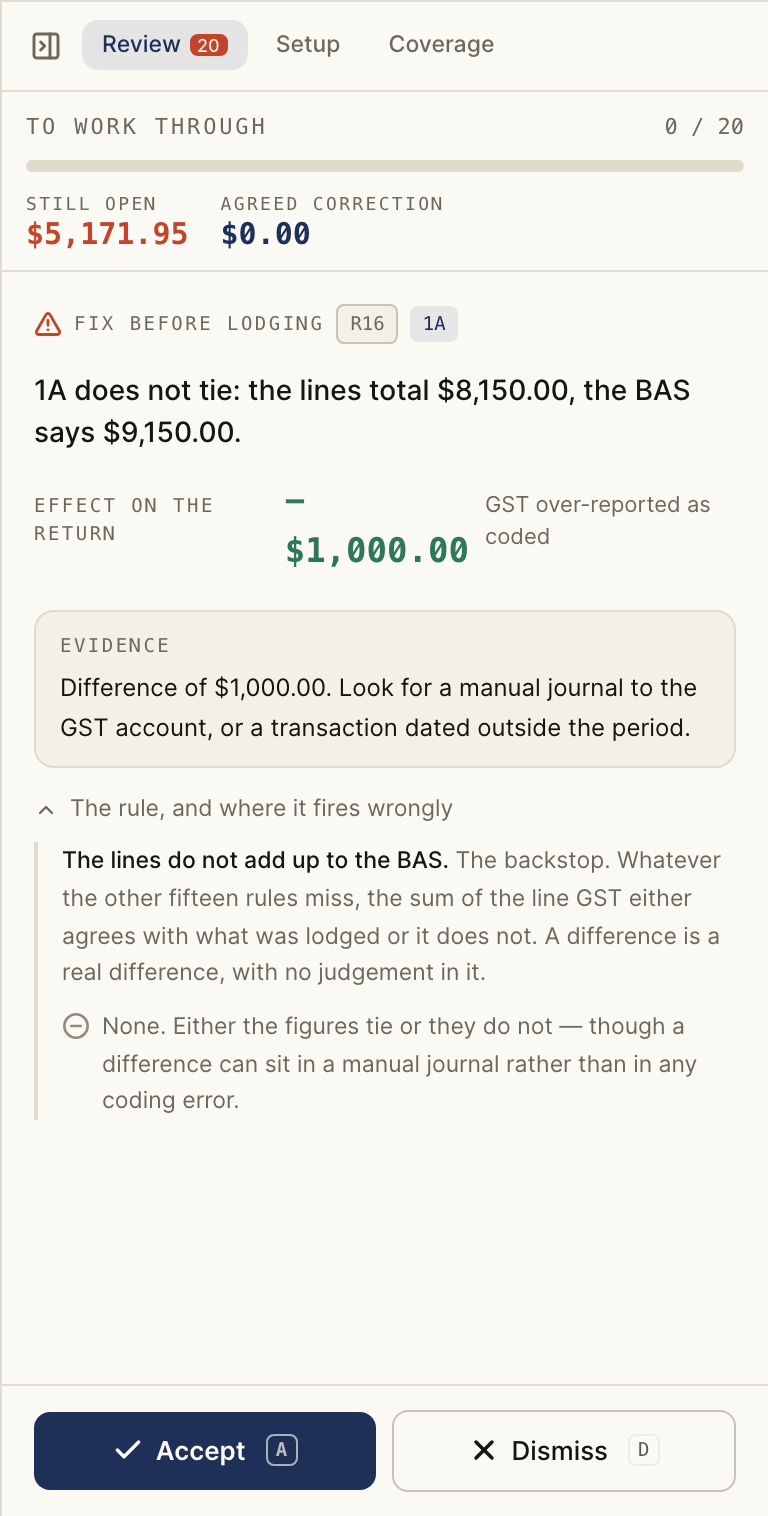
Read the current finding against its transaction and evidence. Its severity is shown as Fix before lodging, Worth a look or For the file. Accept a finding when the proposed correction is supported; dismiss it when the source shows the coding is right. The queue moves to the next open point. You can also use a to accept, d to dismiss, and j/k to move through findings when you are not typing in a field.
Still open adds the GST impact of undecided findings. Agreed correction adds the impact of findings you accepted. These are review figures, not a changed Xero ledger or a lodged BAS. Check the source and make any ledger correction in the system that owns the books.
The Coverage tab lists checks that ran, checks that found nothing, and checks that could not run. A quarter with no findings can still have missing coverage.