BeforeMay Sign
Letters, uploaded PDFs, request status and the evidence of signing.
Source reviewed Product documentation
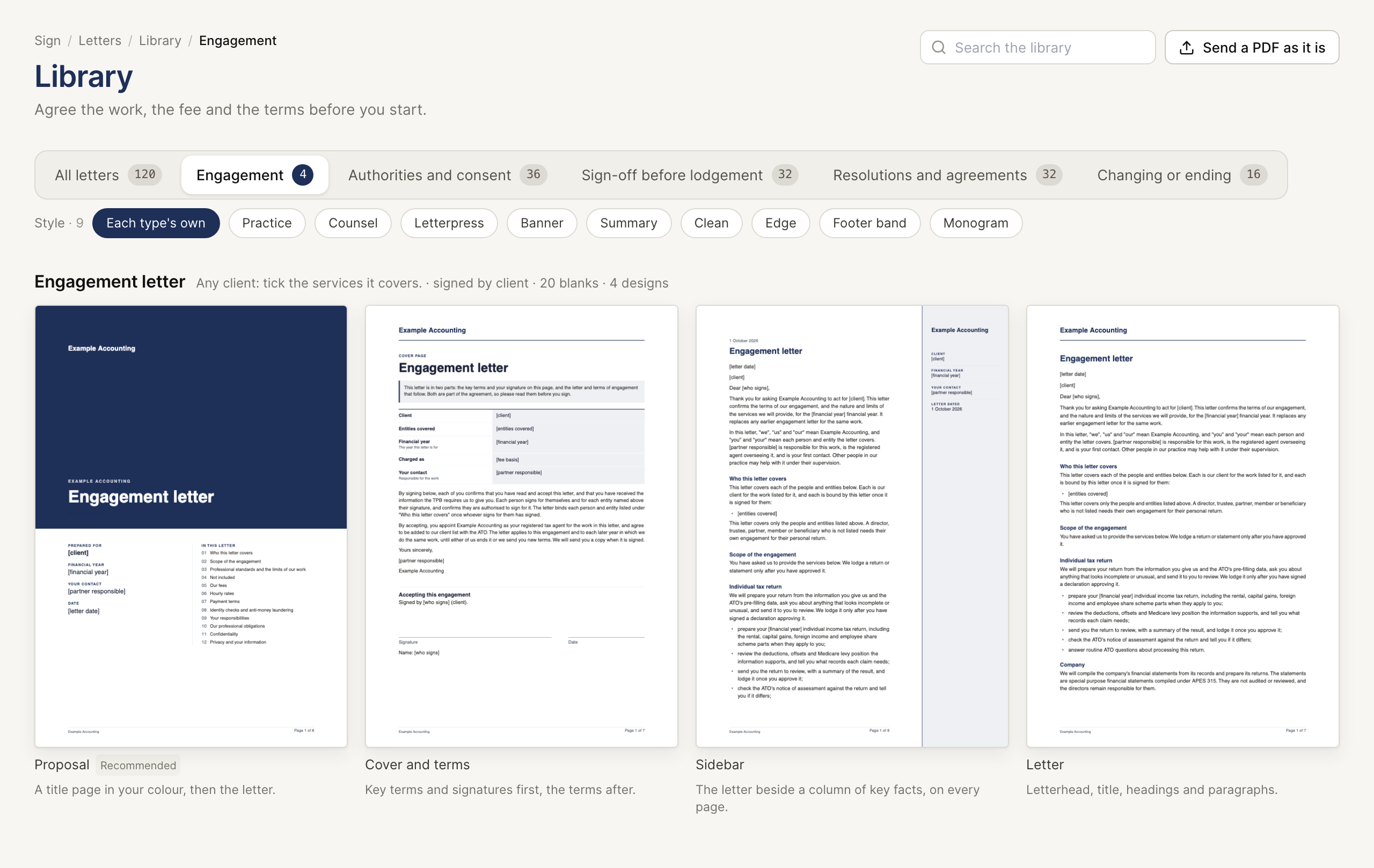
Open Sign. Sign uses the shared practice, clients and team. Start from the letter library or Upload your own PDF. The letter tutorial walks through preparing, testing and sending a request.
Prepare the document
Choose a template, fill the client and engagement details and read the whole rendered PDF. The templates are editable starting points: your practice must review their terms, scope, fees and suitability. Place the signature, name and date fields for the intended signer when the flow offers placement.
For several signers, check the people, their fields and signing order or groups. A signer waiting for a later turn has not yet received an active request to sign.
After sending
The Sent list shows each request. Open it to see the PDF, each signer's status and the signing history. Signed PDF becomes available for the completed document, including its certificate page. PDF as sent is the original version while the document is still awaiting signatures.
| State | Meaning |
|---|---|
| Sent / Viewed | A request is open; Viewed indicates the link was opened. |
| Waiting | This signer is waiting for their turn. |
| Signed | That signer completed the signing step. Check every signer for a multi-signer document. |
| Declined | A signer declined. Resolve this with the client before proceeding. |
| Voided | The request was cancelled. |
A request can be created even if the email fails. Read the sending result and use the supplied link when manual delivery is needed. New link replaces an open signer's earlier link. Void cancels the remaining open request; it does not undo a signature already recorded.
Evidence and limits
The record ties the source document hash, signing actions and completed PDF together. It supports review of what was sent and signed. It is not an identity check or a determination that the signer had authority to bind an entity. Choose the correct signer and retain any authority evidence your practice needs.