Request and review an identity check
Send a Verify link and distinguish provider evidence from the practice decision.
Source reviewed Product documentation
Before you begin
Open Verify in the correct practice. Check the person's name and email and decide the purpose of the check. Explain the identity-provider processing to the client using the product's notice and Privacy Policy.
1. Create the check
From Identity checks, choose New check. Select the person from the shared client list or enter a new client. For a company or trust, open its client record and identify the relevant people; the photo-ID check is on a person.
Choose Proof of identity or AML/CTF due diligence. Confirm the email and use Create and email, or Create link if you will deliver the link yourself. Copy the link from the result when needed: it cannot simply be revealed again later. The current link expires in 14 days.
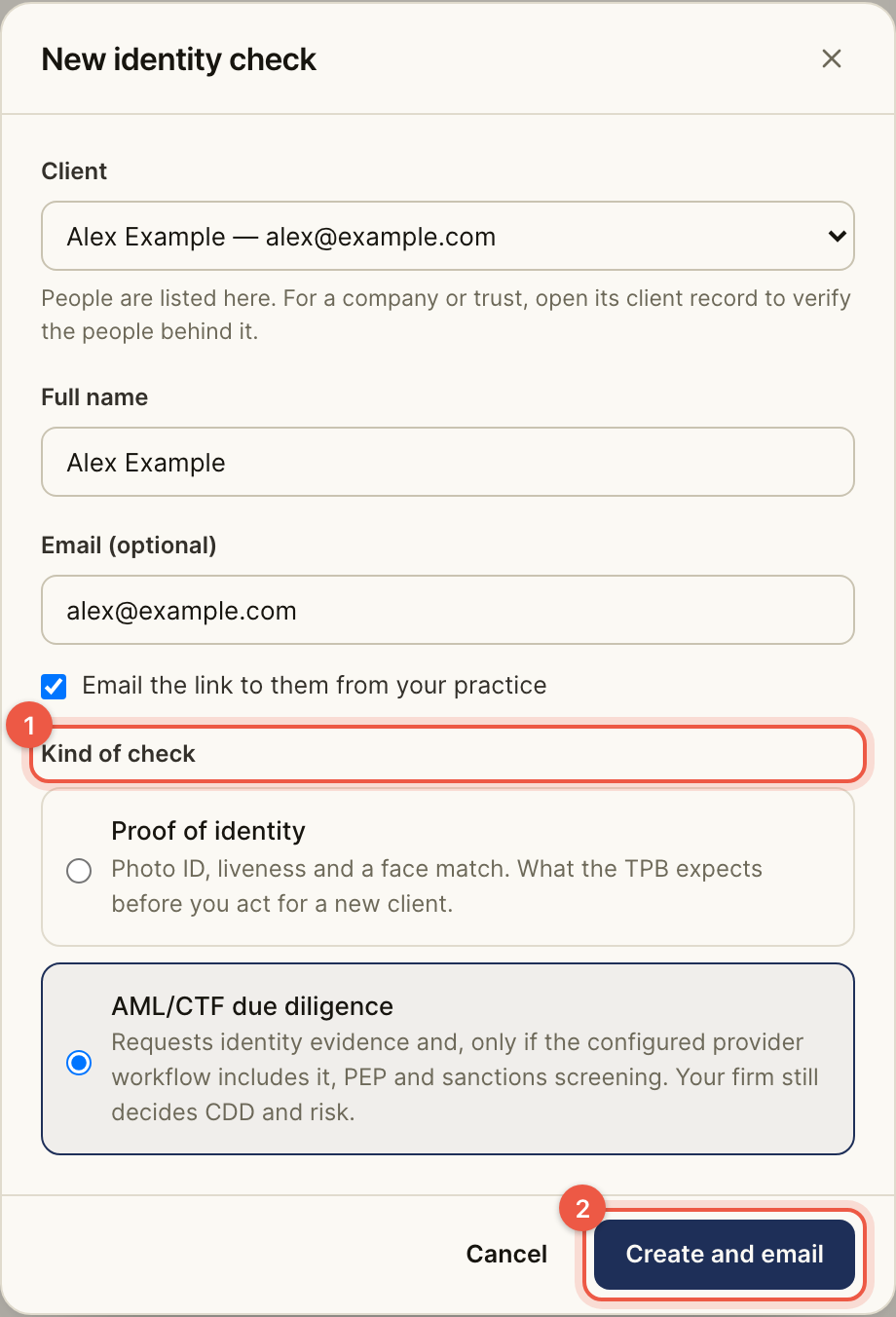
2. Let the person complete it
The client opens the request, checks the firm name, agrees to the notice and continues to Didit. Their ID image, selfie and liveness capture go directly to the provider. They do not need a BeforeMay firm account.
If the request email failed, the check may still exist. Use its result or issue a replacement link through the check page; do not assume an email error means no check was created.
3. Review the returned evidence
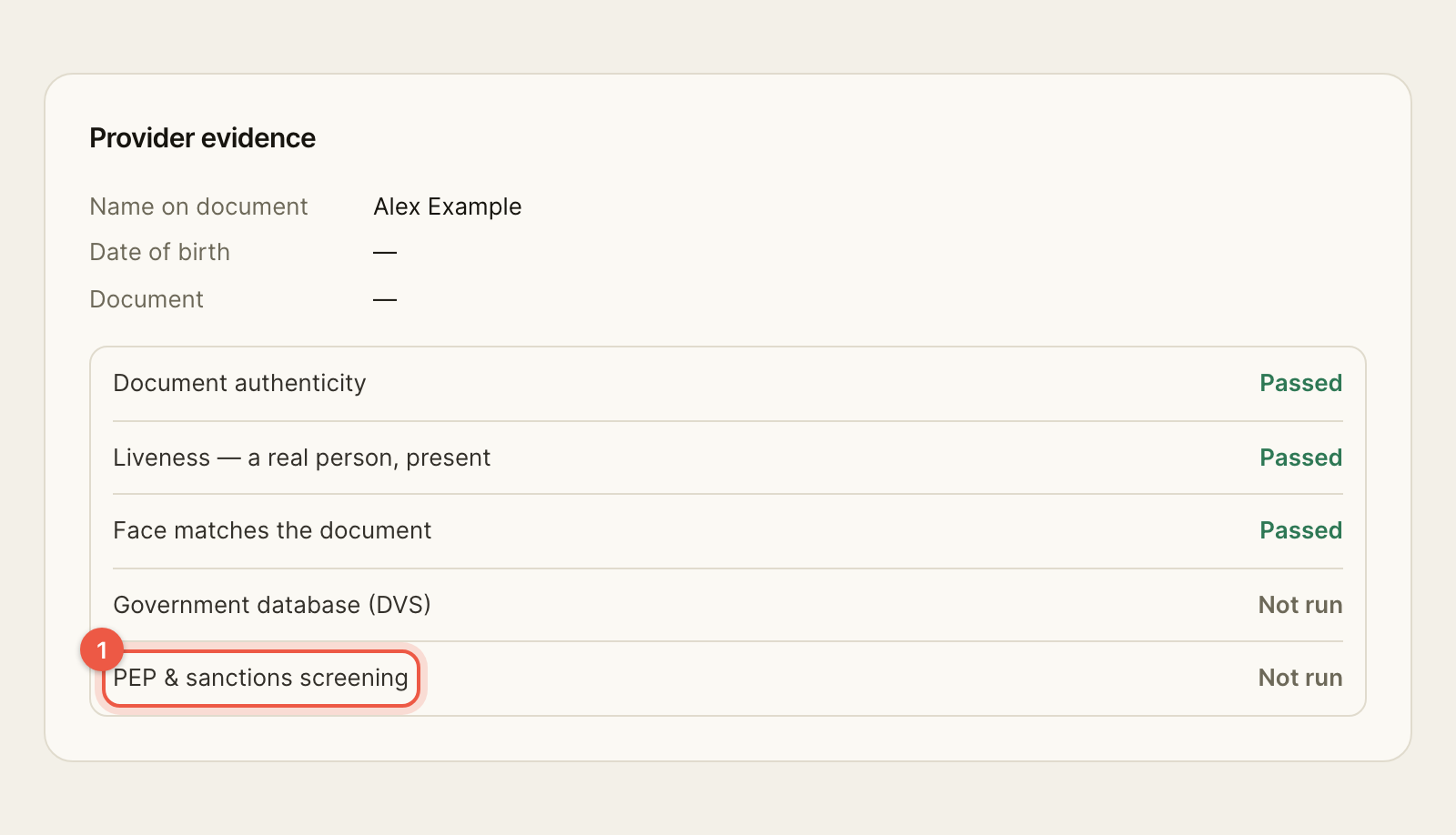
Open the check detail. Read each evidence component, warnings and the last sync time. A successful overall status does not show that PEP/sanctions screening ran. Inspect Provider evidence and every Not run result.
Record the relevant scope and risk assessment, add evidence and obtain any required sign-off. Where monitoring raises a new alert, review and record the reason for acknowledgement. Do not put the firm's internal screening notes in a client message.
4. Retain the record
Use Export CDD record and inspect the export. The expected result is a record of the evidence and the practice's decisions, not an automatic approval of every future service for the client.
If refresh fails, the existing result is still the last stored result. Resolve the failure before treating it as current.
Completion check
- Confirm the check is for the intended person and purpose; check link/email delivery.
- Inspect the returned provider evidence, warnings, Not run components and last sync time. A created link is not a completed identity check.
- Record the practice's scope and risk assessment and any required review. A provider's successful result is evidence for that decision, not the decision itself.
- Open the exported CDD record and confirm it contains the evidence and practice decisions you intended to retain.
Next: Verify guide.