Review a coded BAS quarter
Inspect a Xero GST Audit Report and record your decisions on the coding exceptions.
Source reviewed Product documentation
Before you begin
Open BAS Review, or use its demo to learn with the sample practice. For a real review, export the client's GST Audit Report as CSV from Xero for the quarter and accounting basis you intend to review. Keep that export.
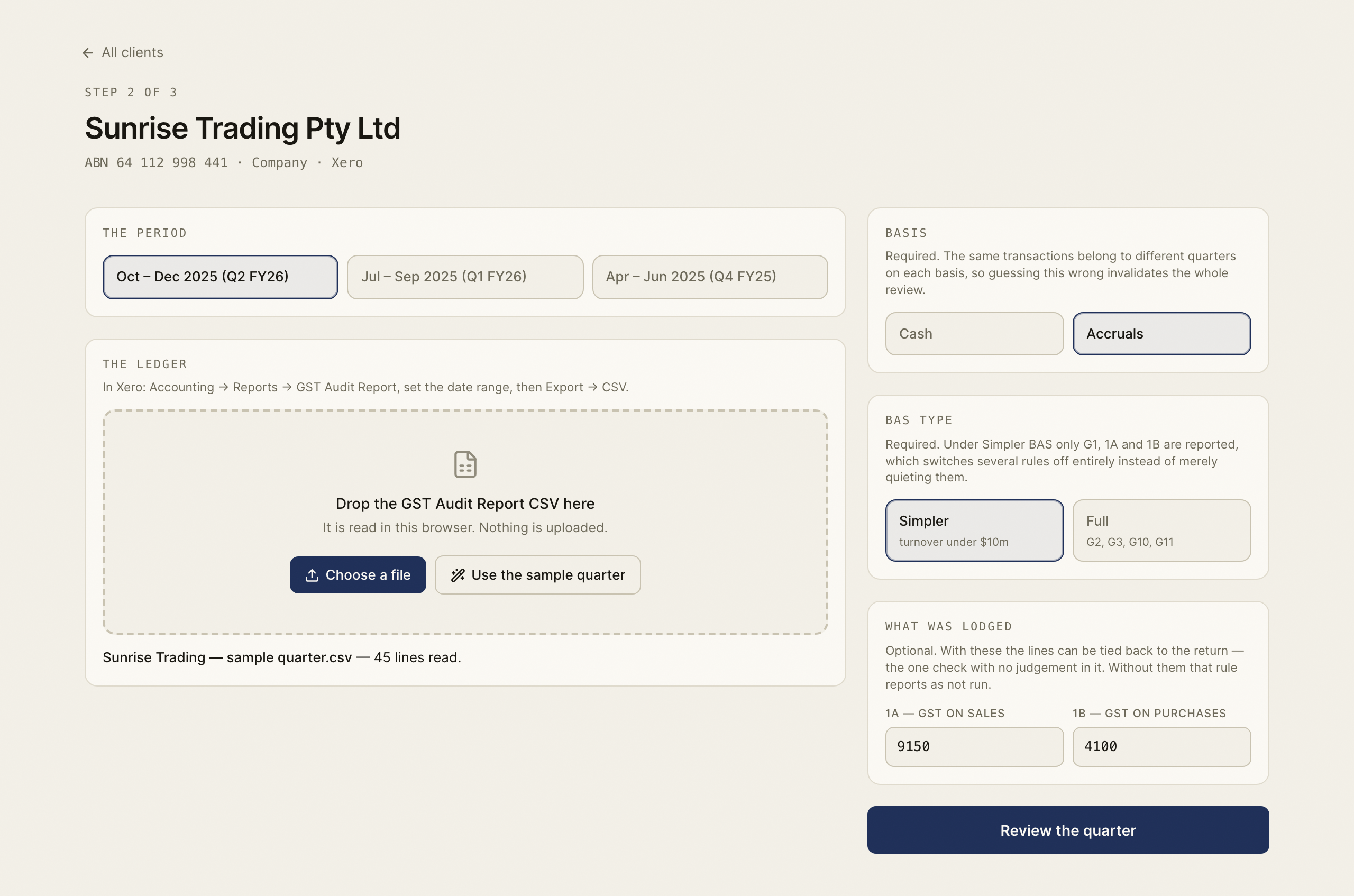
1. Set the context
Select the client, dates, cash or accruals basis and BAS type. These settings change how the rules interpret the quarter, so confirm them against the source report rather than accepting an unrelated default.
2. Read the export
Choose the CSV. Check that the reported dates, transaction count and aggregate figures make sense. Resolve parser warnings and unrecognised tax-rate names. The tool does not silently map an unknown rate to BAS Excluded.
3. Review each exception
Read the transaction, current coding, suggested treatment and effect on the figures. Check the original invoice or other evidence in your bookkeeping system. Accept or dismiss the finding on that basis.
Not run means the rule lacked information or did not apply; it is not a successful check. For example, an export without attachment information cannot establish that each transaction has a valid source document.
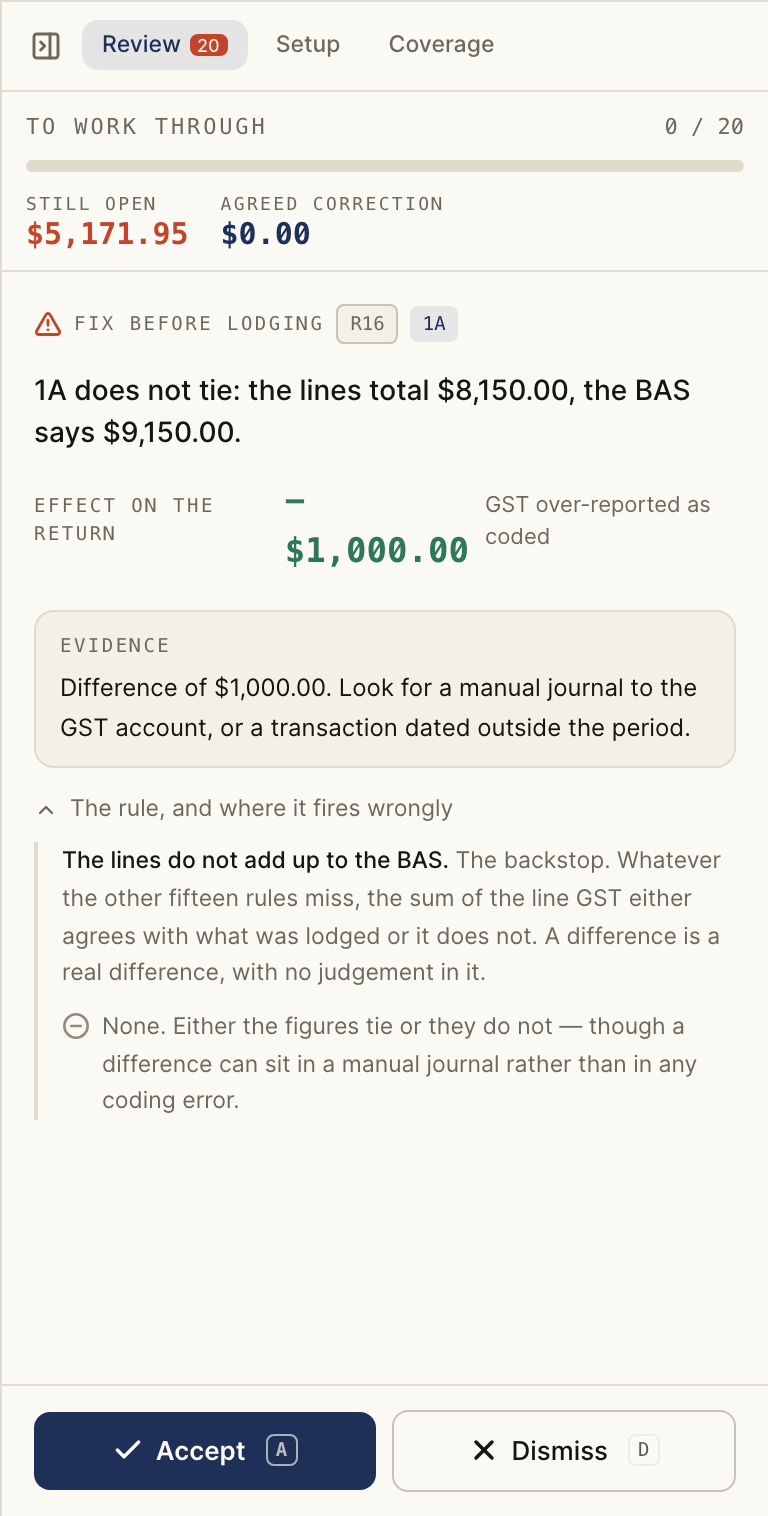
4. Finish the quarter
Check the outstanding-finding count and the agreed corrections. Signed-in review state can be saved against the client and period; check the save status before leaving. Retain the CSV because the transaction rows stay in the browser and are not saved as a ledger on the server.
Make agreed coding changes in Xero separately and export again if you need to verify the corrected ledger. BAS Review does not write the corrections back to Xero or lodge the BAS.
Expected result: you can explain each reviewed exception and reconcile the agreed changes with the quarter's figures.
Completion check
- Match the client, period, accounting basis and BAS type to the retained export.
- Resolve parser warnings and inspect rules marked Not run.
- Inspect the outstanding-finding count and the decisions already recorded.
- If saving a signed-in review, confirm the save status before leaving.
- Check agreed changes separately in Xero, using a fresh export when needed. Recording a decision here does not update Xero or lodge the BAS.
Next: BAS Review scope and storage.