Check a figure against its source
Follow a workbook figure back to evidence, record your judgement and verify the resulting version.
Source reviewed Product documentation
Before you begin
Open a Workpapers case with a delivered workbook. Have access to the original source documents. A draft under review or from a failed run is not a completed deliverable.
Open the figure
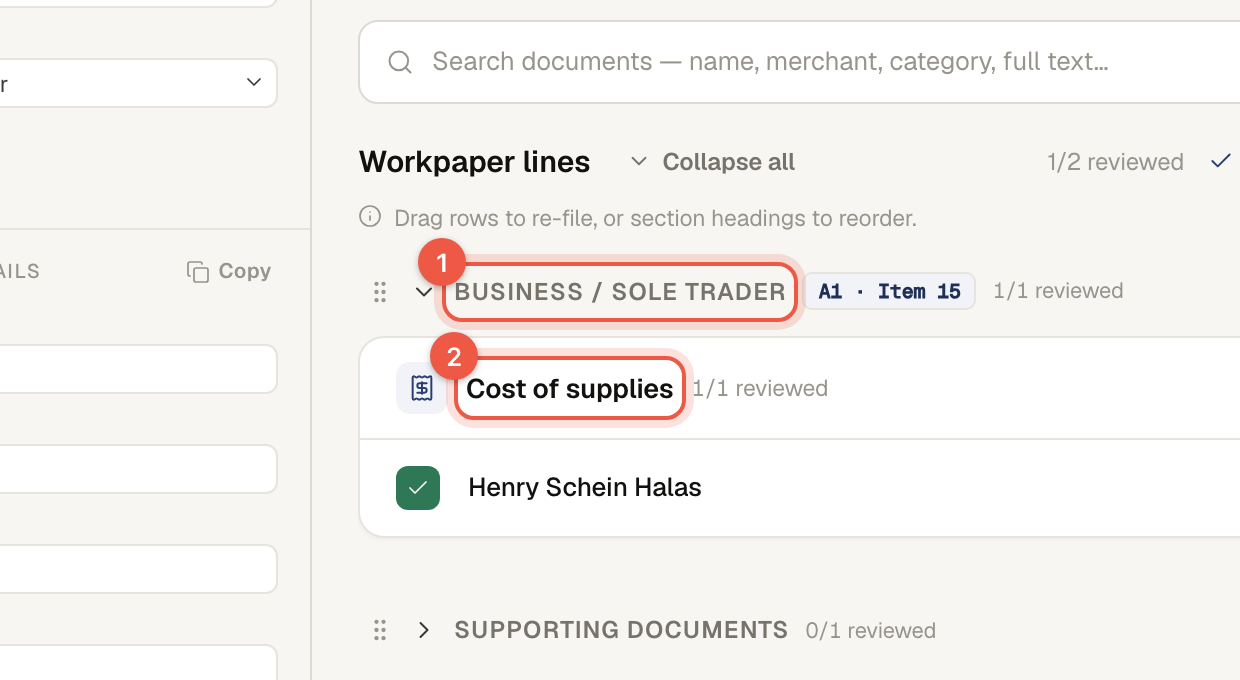
Choose a figure in the workbook and inspect its source reference or the related workpaper line. Note the section, ATO item and whether the figure is an extracted amount, a judgement such as an apportionment, or a formula total.
Read the evidence
Open the referenced document from the cell or case. Compare the actual amount, period and owner with the line. For an aggregation, inspect the contributing records. For a formula total, follow the contributing cells; the total itself may not be an amount printed on one source page.
Resolve the difference
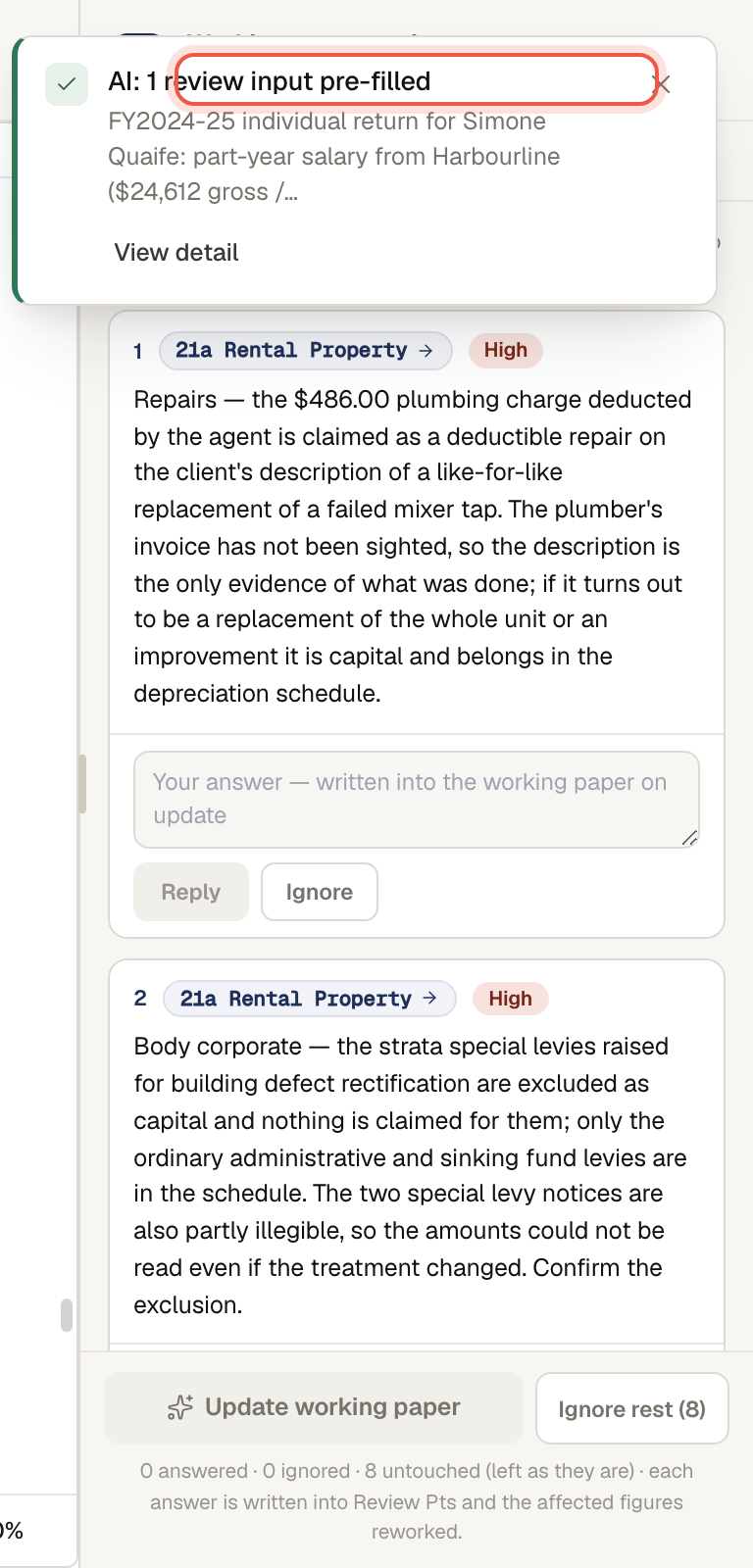
Read any review point attached to the treatment. Use Reply to record the answer or correction, then hand the answers to the workpaper assistant using the current panel. Inspect the proposed change and its result before considering the correction complete. Use Ignore only when the point is not relevant, with enough context in your own review records to explain the decision.
For a direct edit, use an editable non-formula cell and save the version. Formula cells are locked. If the problem is missing or incorrect evidence, replace or add the document and refresh the working paper through the case flow.
Check the result
Open the resulting version and compare the figure again. Check the affected subtotal and estimate, not only the one cell. Confirm you are reviewing the saved/current version rather than an earlier preview, then record completion through the case's review controls.
If the source is missing or unclear
Do not mark the figure checked solely because the workbook has a number. Ask for the underlying record, inspect related evidence or contact support if the source reference will not open. Include the case, version and cell reference in the report; omit TFNs and personal link tokens.
Completion check
Confirm the saved/current workbook version, the original amount and its period and owner, any judgement or aggregation, and the affected totals after a change. Retain the source reference and your review answer. An explanation panel or a plausible total alone does not replace the underlying evidence.
Next: editing and versions.